
Magic Dancing Tiles
PHY STUDIOMusic
4.8226.00 Reviews
- Version
- 0.5.69
- Installs
- 50.00M
- Age Rating
- Mature 17+
Screenshots
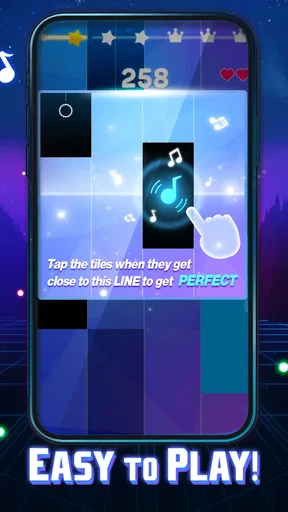
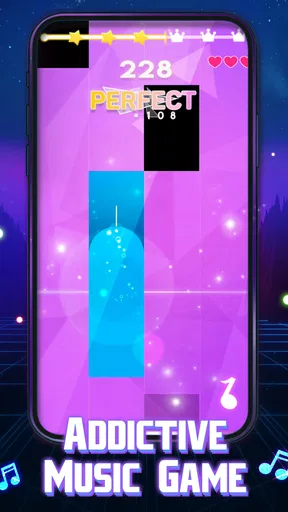
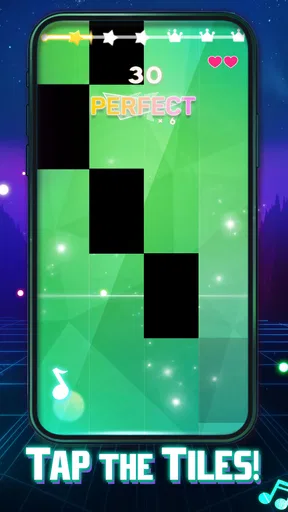

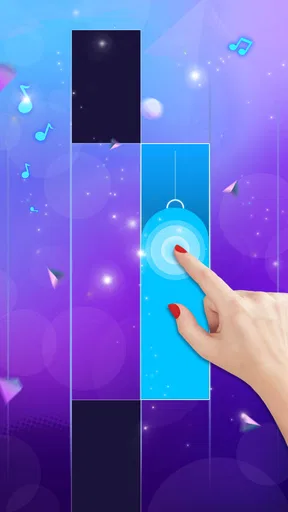
Our Review of Magic Dancing Tiles
 Analysis by Appyee
I found Magic Dancing Tiles easiest to understand by picking a song and tapping along: the game turns piano-style tiles into a quick test of timing, attention, and touch. It belongs to the music-game family, but its appeal is less about learning an instrument than getting pulled into a repeatable rhythm challenge. A run is simple to begin, and that low barrier is exactly why it can fit into a short break.
The basic idea will feel familiar if you have played a tap-to-the-beat game before. The screen asks for timely taps, the music supplies the pulse, and your fingers have to keep up as the sequence continues. That straightforward setup works well on a phone because it does not ask you to settle in for a long tutorial before you can start playing. I would approach it as a reflex game with a musical surface, rather than as piano practice.
From the first tap to a playable rhythm
The first useful thing to know is that the challenge comes from coordinating what you hear with what appears on screen. If you are new to this style, start by watching the tile pattern for a moment and let the beat guide your timing instead of tapping as quickly as possible. Speed without control is an easy way to lose the feel of the song; a steadier response gives you a better chance to stay in the flow.
That distinction matters for expectations. The piano presentation may suggest that the game will teach musical technique, but I would not choose it for lessons in melody, notation, or keyboard skills. Its focus is the immediate physical loop: notice the cue, tap, hear the music continue, and try to maintain control. If you want structured music education, a dedicated learning app is a better fit. If you want a compact rhythm challenge, this is much closer to the mark.
There is also a practical difference between playing casually and trying to improve. In a casual run, I can follow the sound and accept a few imperfect moments. When I want a cleaner result, I pay closer attention to the screen and keep my thumb movement small. That reduces unnecessary motion and makes it easier to respond consistently, especially when I am playing on a phone with one hand.
Why the feedback makes another attempt tempting
The feedback is immediate in the most important sense: your taps determine whether the musical sequence carries on smoothly. That connection between action and sound makes even a brief session feel active rather than passive. I like rhythm games that let me understand the consequence of a mistimed input without a lot of menus or explanation, and the tile-based approach gives the player a clear job to focus on.
At the same time, quick feedback can make a rough run feel unforgiving. When your attention slips, it is easy to blame your timing, but screen size, grip, and the way you hold the phone can also affect how comfortable tapping feels. If your fingers cover too much of the playing area, try changing your grip or using a lighter touch. That is a small adjustment, but it can make the pattern easier to read and keep the experience from becoming a frantic series of corrections.
Sound is central to the experience, so I would use headphones when I want to follow the beat closely, particularly somewhere noisy. In a quiet room, the phone speaker may be enough for a quick run. Either way, the important point is to pick a setup where the music is easy to hear without making the game awkward to hold. A rhythm challenge loses some of its appeal if you are constantly shifting your hands or straining to catch the pulse.
One useful way to approach a difficult passage is to treat each attempt as a timing check, not just a score chase. Notice whether you tend to tap early when the sequence speeds up or hesitate after a mistake. Then focus on correcting that one habit in the next run. This turns repetition into a small, practical improvement routine instead of mindlessly restarting and hoping for a better result.
The reward is the run, not piano practice
The satisfaction here comes from staying with the rhythm and feeling a sequence fall into place. A successful stretch can be rewarding because your eyes, ears, and hands are working together; the game gives a quick reason to see whether you can do it again with fewer slips. That is a good fit for players who enjoy chasing a personal improvement, even when they only have a few minutes.
I would not treat that satisfaction as a substitute for learning a song on a real keyboard. Tapping tiles can sharpen attention and timing in the moment, but it does not give you the same control over pitch, fingering, or musical expression. The distinction is worth keeping clear: this is entertainment built around musical timing, not a piano course in disguise.
For a realistic everyday use, imagine waiting for a friend or taking a short pause between tasks. You can open the game, focus on one run, and put it away without needing to arrange a long play session. It works best when you have enough attention to follow the rhythm but not enough time to commit to a bigger game. On a crowded commute, however, constant movement and distractions may make precise tapping more irritating than relaxing.
Compared with music games that emphasize instrument simulation or elaborate progression, Magic Dancing Tiles keeps the basic action prominent. That simplicity is its strength when you want an immediate challenge, but it can be a limitation if you need deeper musical instruction or a broad set of gameplay choices. Players who enjoy mastering short sequences should find the format more appealing than someone looking for a full rhythm-game campaign or a realistic keyboard experience.
How a session ends—and why it starts again
The natural reset is straightforward: a run ends, you take stock of how well you kept time, and you decide whether to try once more. That makes the game easy to fit into gaps, but it also creates the familiar “one more attempt” pull. I recommend deciding in advance whether you are playing for a quick break or for a focused practice stretch. A simple limit, such as stopping after a few tries, helps keep a casual game from eating into the time you meant to spend elsewhere.
Not every restart is useful. If your hands are tired or your attention is scattered, another run may only repeat the same mistakes. I get more out of pausing briefly, loosening my grip, and then returning with one specific goal—such as following the beat more steadily—than tapping through several attempts in frustration. That small reset makes the next session feel intentional rather than automatic.
There is also a comfort trade-off. Repeated rapid tapping can become tiring, especially during a long stretch, so I would take a break rather than push through discomfort. The short-session format encourages quick play, but it does not mean every spare moment has to become another run. For people who prefer games that reward planning, exploration, or slower decisions, this constant focus on timing may feel repetitive rather than compelling.
Who should give it a try
Magic Dancing Tiles is a sensible pick for someone who likes music-led reflex games, wants a simple activity to open during downtime, and enjoys trying to improve through repetition. PHY STUDIO is the developer, and the game is free to download. Its average rating is 4.8 from around 50,000 ratings, with over 50 million installs, which suggests that the quick-tap format has reached a broad audience. Those figures are useful context, but they do not tell you whether its particular rhythm and touch style will suit you.
The game is rated Mature 17+, so I would check that age guidance before recommending it to a younger player. It was released on October 30, 2023, and version 0.5.69 is the current version. It requires Android 7.1 or later. The free entry point makes it easy to try, while optional in-app purchases range from $3.99 to $29.99 per item. I would review purchase prompts carefully and avoid spending unless you already know that the game’s core loop is something you want to keep playing.
Someone who dislikes repeated attempts, has trouble following fast visual cues, or mainly wants to learn piano should probably choose another option. A music-learning app makes more sense for structured practice; a broader rhythm game may suit players who want more variety in how they interact with songs. This one is strongest when the goal is narrower: tap in time, see how long you can hold the rhythm, and decide whether a fresh run sounds appealing.
My verdict is that its loop is easy to grasp and genuinely handy for short bursts, with a clear action-and-feedback rhythm that can make a few minutes pass quickly. The reward is the feeling of keeping pace, and the reset invites another try—but that same repetition can wear thin if you expect musical depth or varied long-term play. I would recommend it to a friend who wants a lightweight music game and is comfortable with timing-based retries. If you want lessons, a realistic piano, or a more varied kind of challenge, I would point you elsewhere.
Privacy and Permissions
See what permissions an app requests and how it handles your data.
- Wi-Fi connection information
- view Wi-Fi connections
- Other
- view network connections, full network access, run at startup, control vibration, prevent device from sleeping, Google Play license check
Verdict
Strengths of Magic Dancing Tiles
- Simple one-touch controls make songs easy to start playing.
- A wide selection of tracks keeps repeat sessions feeling fresh.
- Bright visuals make notes easy to follow during play.
- Short rounds suit quick breaks and casual sessions.
- Unlockable songs give players goals to work toward.
Limitations of Magic Dancing Tiles
- Fast note patterns can be difficult for new players.
- Some tracks may require in-game progress to unlock.
- Repeated tapping can feel tiring during longer sessions.
- Ads may interrupt play depending on the version.
- Timing can feel unforgiving when a tap misses a tile.
Similar Picks in This Category
View All
Tiles Hop Music & Ball Game
AMANOTES PTE. LTD.4.3

Magic Tiles 3™ - Piano Game
AMANOTES PTE. LTD.4.6

Real Piano
Bilkon3.7

Piano Game: Classic Music Song
Dream Tiles Piano Game Studio4.0

Smash Colors: Music Ball Rush
BADSNOWBALL HONGKONG LIMITED4.2

Piano Music Go-EDM Piano Games
Joy Journey Music Games4.5
Frequently Asked Questions
What is Magic Dancing Tiles, and how do you play it?
Magic Dancing Tiles is a music-based rhythm game in which you tap or hold tiles in time with the song. The exact controls and modes can vary by version, but the central challenge is to follow the notes accurately as they move across the screen. It is easy to understand at first, while faster songs and denser patterns demand better timing and concentration.
Is Magic Dancing Tiles free to download and play?
The game may be available as a free download, but availability, pricing, and included features can differ between the Android and iOS versions and by region. Free-to-play titles may also offer advertisements or optional in-app purchases, such as content or gameplay extras. Check the store listing on your device for current costs and purchase details before installing, and review any payment settings if children will be playing.
Does Magic Dancing Tiles need an internet connection?
Whether you can play offline depends on the version and the features you want to use. Basic gameplay may work without a connection after installation, while downloading songs, viewing advertisements, syncing progress, or accessing online features may require internet access. If offline play matters to you, check the app’s store description and test the game before relying on it during travel or in places with limited connectivity.
Is Magic Dancing Tiles suitable for children, and does it contain ads or purchases?
The rhythm-game format is generally straightforward, but suitability depends on a child’s age, the specific content in the version available to you, and how comfortable you are with its controls and difficulty. Ads and optional purchases may be present, though availability can vary by platform and region. Review the age rating, privacy information, and in-app purchase details in the store, and use parental controls where appropriate.
What should I check before downloading Magic Dancing Tiles on Android or iOS?
Before installing, confirm that the app is listed for your device and operating-system version, and check its storage requirements, developer information, age rating, and privacy disclosures. Read recent store reviews as features and performance can change with updates. Also verify whether the listing describes the version you expect, since similarly named rhythm games may have different songs, controls, advertisements, or purchase options.
Play our best games!


